
Blueprints AI: Generating Construction Documentation with Artificial Intelligence
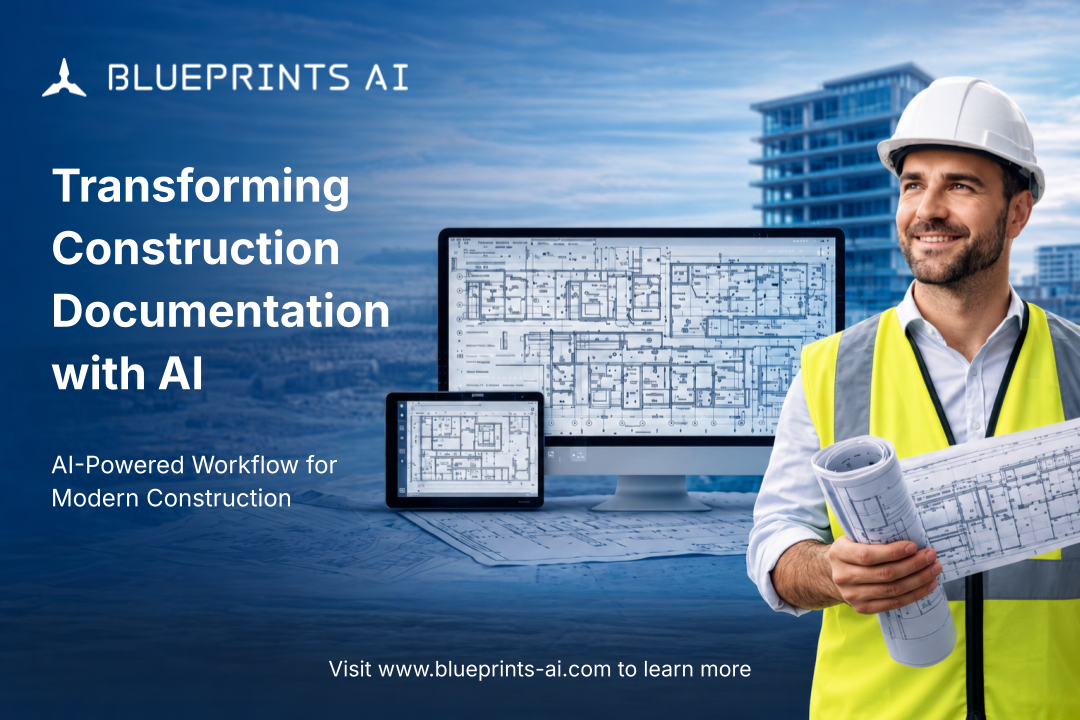
We sat down with AL Dram, CEO of Blueprints AI, to learn how the company is using artificial intelligence to streamline one of Architecture, Engineering, and Construction (AEC)’s most time-consuming pain points—construction documents. For AEC professionals, the platform creates a new level of workflow autonomy, where teams stay fully in command while the heavy drafting work happens automatically in the background. From as-builts and 2D plans to 3D models and full construction blueprints, Blueprints AI is rethinking architectural and engineering drawings, bringing automation, accuracy, and speed to pre-construction and specifically post-design workflows.
1) What inspired AL Dram to start Blueprints AI, and what specific gap in the AEC industry was he aiming to fill?
AL Dram turned decades of frustration into innovation. With over 15 years in architecture and additional experience as a former vice-chair of a planning commission and a California-licensed contractor, he had seen inefficiencies from every angle.
Since 2018, while leading his own architecture firm in San Francisco, he has watched skilled teams bogged down in tedious CAD work and the exhausting cycle of construction documents. Creativity suffered, productivity slowed, and projects stretched far longer than they should have. That’s when he realized that we don’t need more hands; we need smarter tools.
Most tools available at the time focused only on design. Yet architects love design—that’s what they signed up for on day one—and they aren’t looking for tools to replace it. The real bottleneck was elsewhere: manually creating construction documents for permit submittal and managing revisions, a phase that takes more than half of pre-construction effort.
When artificial intelligence finally advanced enough to make it possible, he knew it was time to start a revolution to free designers from traditional design software constraints. He founded Blueprints AI to automate the most unattractive and time-consuming phase of architecture and engineering, giving teams back the time to focus on meaningful, creative work.
2) How far along is Blueprints AI’s product development, and what core features is the team focusing on first?
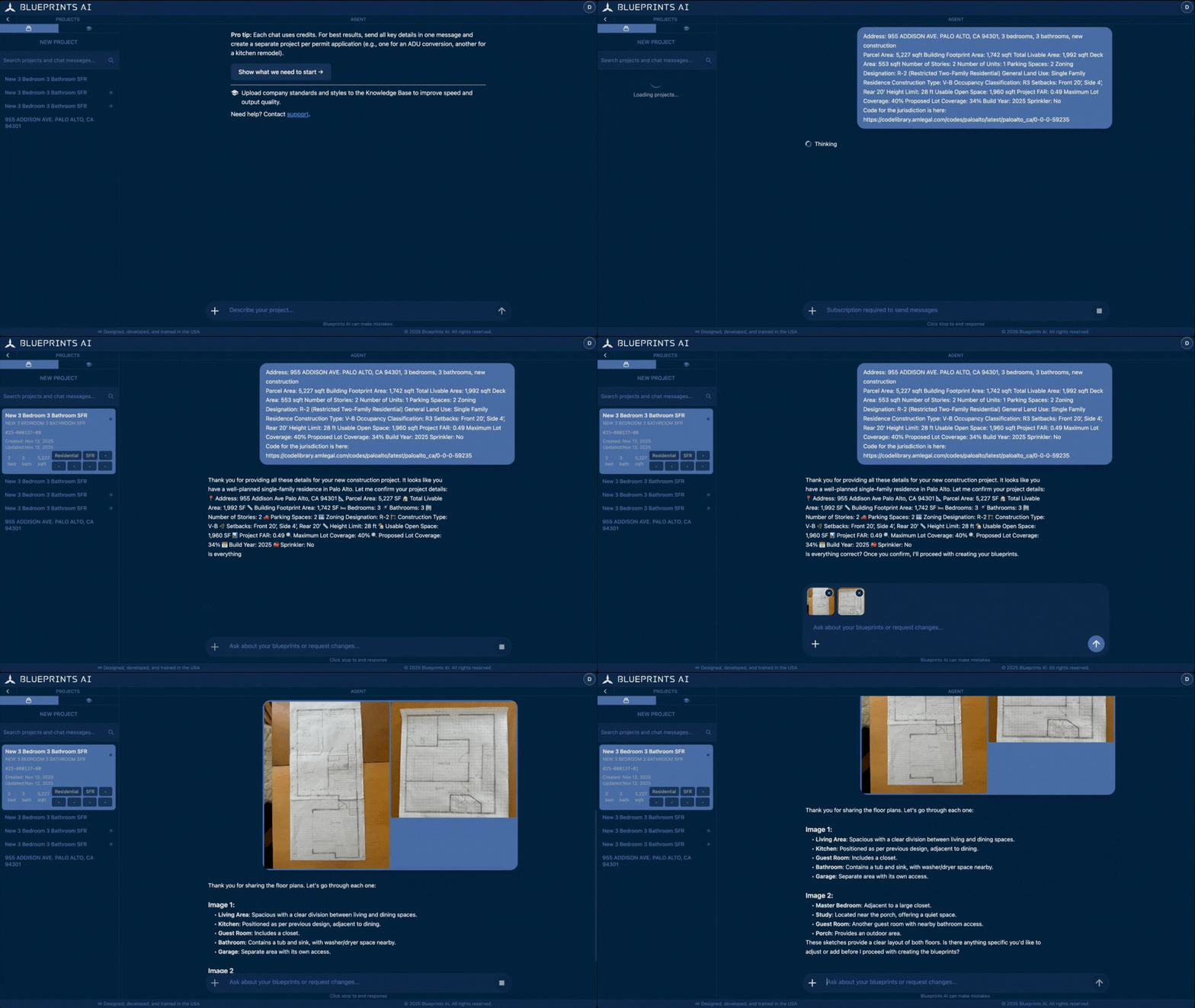
Blueprints AI is a fully functional platform used on live projects. Current development is focused on improving output quality and speed, expanding coverage across building types, and aligning more deeply with firm standards and municipal codes. The core focus is generating architectural and engineering documents with design input.
Core features of Blueprints AI include:
-
AI-powered document generation: Creates detailed plans and blueprints directly from prompts, offering a real hands-off drafting experience.
-
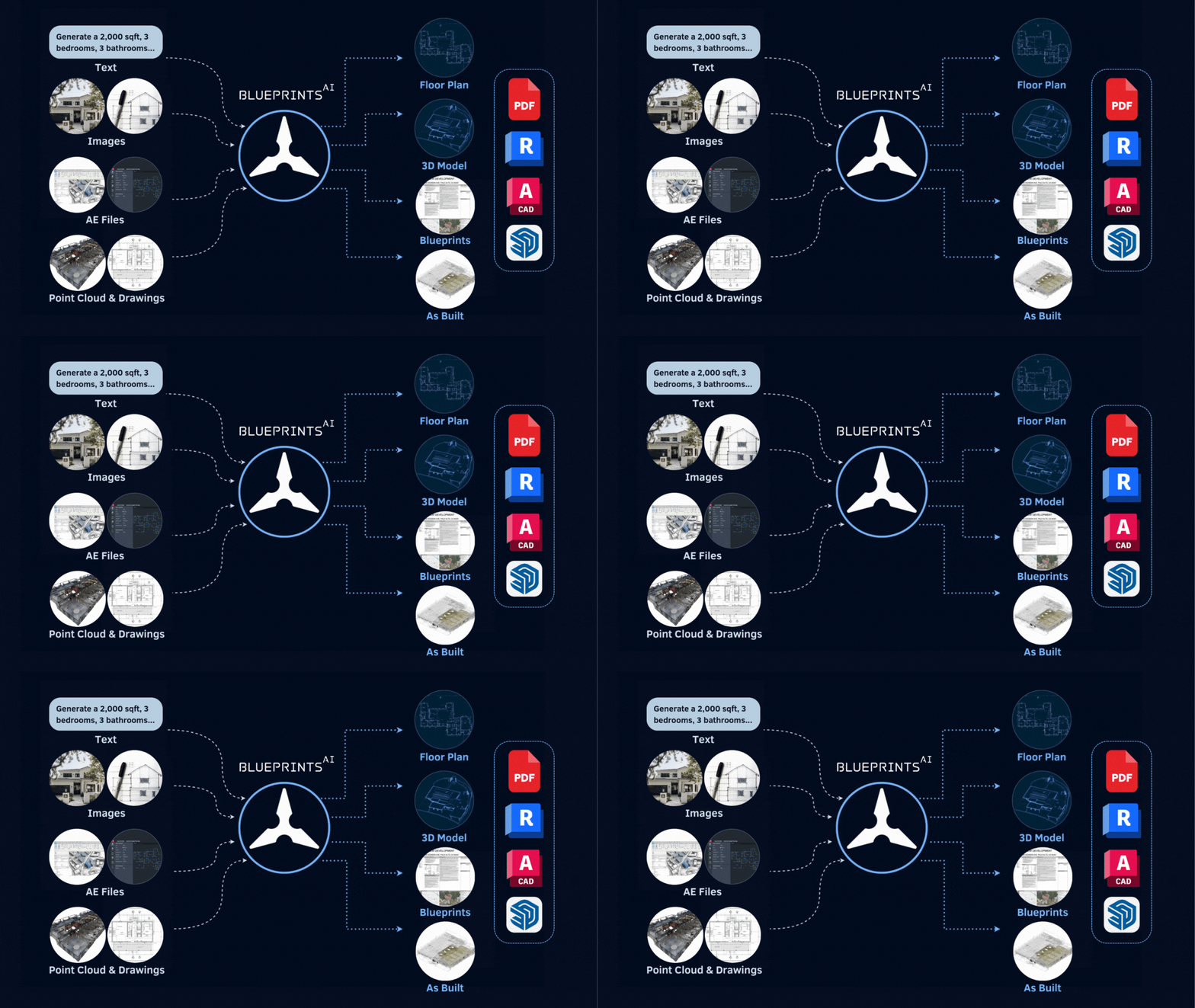
Versatile inputs: Accepts text, sketches, point clouds, CAD files, BIM models, images, zoning, planning, building, and ADA codes.
-
Professional outputs: Delivers full construction blueprints, as well as floor plans and 3D models, in industry-standard formats, including BIM, CAD, SketchUp, and PDF.
-
Iterative revisions: Easily regenerate or refine documents based on uploaded markups, comments, or design changes.
-
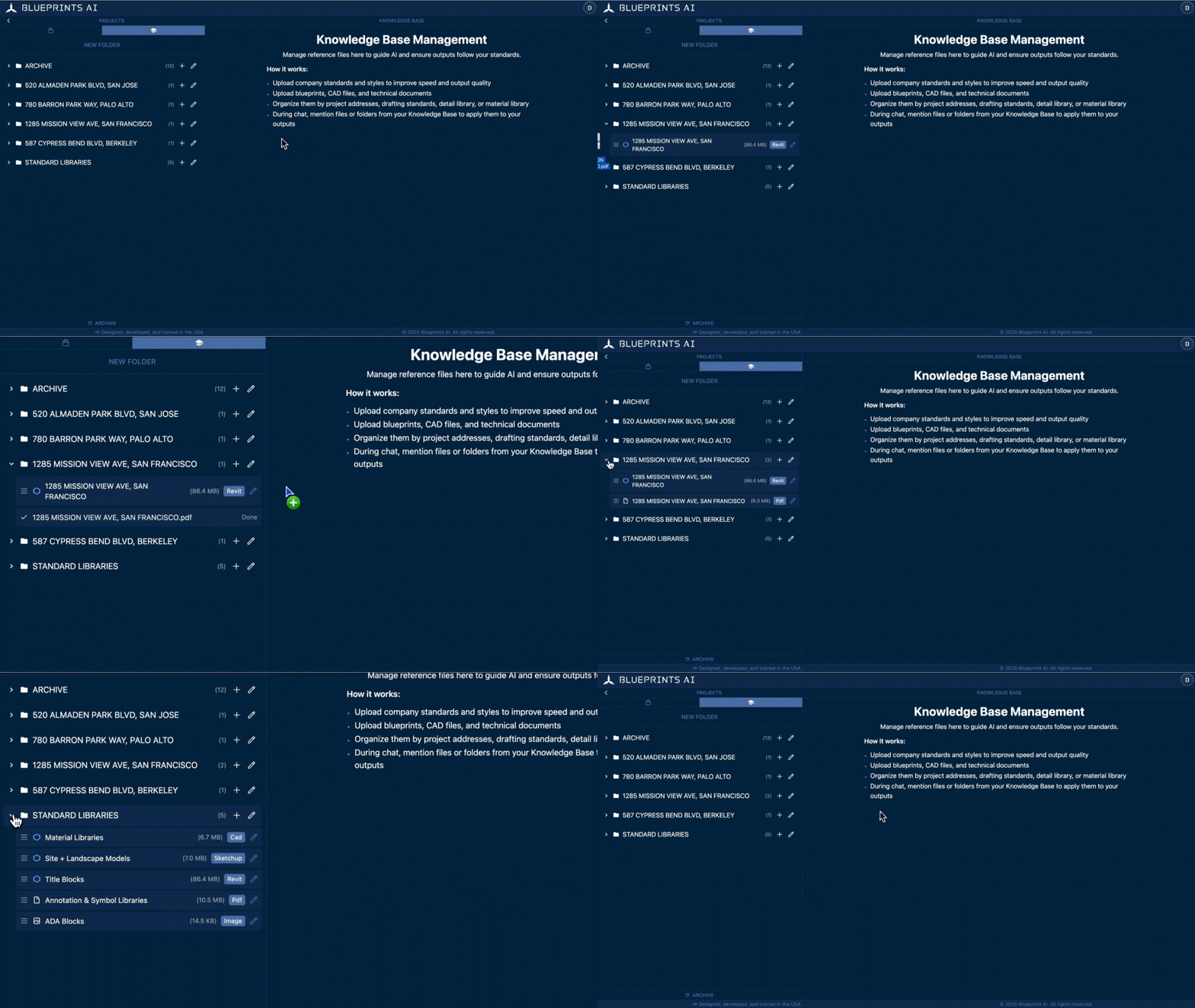
Learning from standards and past work: The Knowledge Base learns from uploaded standard libraries and past projects to align user output with their design and documentation style.
3) What are some simple use cases that illustrate how project teams interact with the platform?
Blueprints AI supports a wide range of projects, from residential builds to commercial developments.
Here are two examples that illustrate how teams are using the platform:
-
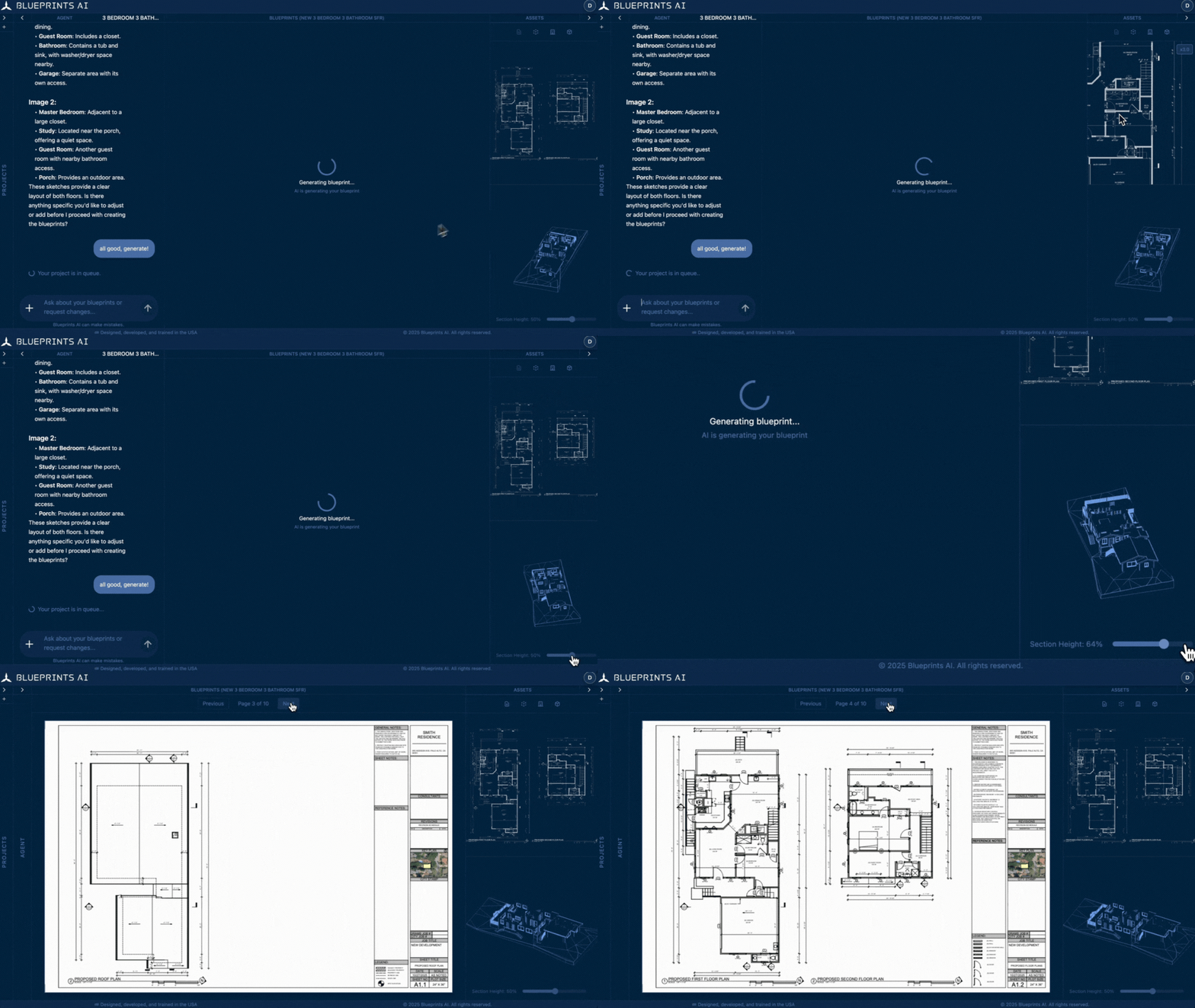
One project involved construction documents for a new 4-bedroom, 3-bathroom, 4,200-sq-ft single-family residence in Chicago. The user uploaded a hand-drawn design and provided concise design instructions in Blueprints AI, which produced a complete construction document set suitable for permit submission. After the initial submittal, the city issued review comments; the user addressed them by updating the drawings within the same Blueprints AI session, resubmitted, and secured permit approval in a single review cycle.
-
Another engagement involved an 18,400-sq-ft commercial building. The architecture firm uploaded a point-cloud file, and Blueprints AI processed the 3D scan data to generate a high-quality LOD 300 BIM model. After minimal QA and refinement, the model was incorporated into the firm’s production workflow.
4) How does Blueprints AI compare to traditional design tools like Autodesk products?
Blueprints AI offers chat-based simplicity with little to no learning curve and provides a hands-off experience, which sets it apart from traditional CAD and BIM tools. Conventional design tools require both A/E domain expertise and advanced software skills to produce professional outputs, creating barriers for many users. Tools like Autodesk products still require users to do the work manually, whereas with Blueprints AI, you simply command the AI and it handles the work for you.
With Blueprints AI, firms’ focus shifts to design and quality review, removing the need for specialized technical software skills. This approach democratizes access to professional-quality construction documentation while allowing users to concentrate on creative and strategic aspects of their projects.
5) How is the team gathering feedback from early users, and how is that shaping the roadmap?
The team conducts regular meetings with users. The platform also incorporates in-product feedback loops and a comprehensive user support system.
Blueprints AI treats its users as collaborators, not customers. Each firm gives the platform a front-row view of how work really happens, what slows them down and what feels effortless. These insights guide how the platform evolves, moving from simply automating documents toward acting as a system that thinks alongside designers. That’s how Blueprints AI learns, and why it keeps getting smarter with every piece of feedback.
6) What have been the biggest technical or operational challenges in building the platform so far?
Training and tuning the AI model has been resource-intensive, representing one of the primary challenges. Continually improving output quality and speed is a key component of the long-term scaling strategy, requiring ongoing investment in computational resources.
7) Is Blueprints AI currently working with any pilot users or design partners? If so, what is the team learning from those engagements?
Blueprints AI is currently being used by firms of various sizes across the United States, including architecture practices, design-build contractors, and enterprise-level AEC firms. In addition, the platform works closely with pilot users across three main groups: industry professionals, project owners and clients, and academic educators and researchers.
From these engagements, the team is consistently seeing the impact of moving from traditional, tool-driven workflows to AI-powered construction documentation. In conventional design software, users have to work inside the tool and manually execute each step, effectively adapting their process to the software. With Blueprints AI, firms experience the opposite: they define the workflow and design intent, and the AI handles the drafting and documentation work. This shift not only speeds up production, but also changes how teams think about their time, their role, and the value they can deliver.
The Blueprints AI team has also observed several recurring themes across users:
-
Better inputs drive better outputs. Firms that invest in a clear, well-structured knowledge base—standard details, typical sheets, preferred assemblies, and code references—see higher-quality output, faster iterations, and lower overall documentation costs.
-
Professional-grade, standardized deliverables. AI-generated plans, BIM models, and construction documents that follow firm standards reduce internal QA/QC effort and help teams respond more confidently to permit review comments.
-
AI agent chats make design intent visible. Previously, teams mostly saw final drawings while inputs and decisions were scattered across emails and side conversations. Now, chat-based threads with the Blueprints AI agent capture inputs, markups, and decisions in one place, so no one has to dig through email, chase messages, or maintain separate design logs. In many firms, team members repeatedly return to these threads and naturally adopt them as their primary coordination hub.
These learnings directly inform the product roadmap, guiding how Blueprints AI expands its support for construction documents, CAD and BIM workflows, and firm-specific standards so that it can act as a reliable, AI-powered production engine for AEC teams.
8) How is the team approaching integrations—will the product connect with tools like Procore, Revit, or AutoCAD?
Blueprints AI is designed to sit alongside a firm’s existing design tools rather than replace them. It is not another CAD or BIM program; it is the automation layer that operates the tools firms already rely on, similar to a robotic arm that can work with whichever instruments are already on the desk. In its current version, the platform supports import from and export to tools teams already use, such as Revit, AutoCAD, SketchUp, and PDF, so users don’t need to switch ecosystems.
Looking ahead, the team plans to expand support for additional file formats and build deeper integrations with other design, project management, and data platforms.

9) What kinds of firms or project types are likely to benefit most from the current version of Blueprints AI?
Active architectural or design-build firms handling 20+ projects a year will benefit the most from the current version of Blueprints AI. Projects with a well-defined scope, desired outputs, and clear requirements see the greatest efficiency gains.
These high-capability teams and companies with growing project needs can unlock even more throughput and quality by augmenting their workflows with faster turnaround and professional-grade documentation tools. Blueprints AI supports them without adding overhead, freeing their limited capacity so they can focus on design and growing their business.
10) What is the long-term vision for the platform, and how might it evolve into a broader construction intelligence tool?
The goal is to become the central AI-driven platform in the AEC industry. While blueprint generation is the core offering today, the long-term vision is to expand into broader construction intelligence, transforming how the industry approaches project planning, execution, and management with AI-driven insights and automation.
Closing Thought
At Blueprints AI, the goal is not to remove the human element from design but to eliminate the bottlenecks that slow it down. By combining autonomy, ease of use, and compliance, the platform empowers AEC professionals to deliver better work in less time and with less frustration, freeing teams to focus on design, client outcomes, and high-impact decisions.
For firms and teams ready to experience hands-off workflows where documentation no longer controls the schedule, Blueprints AI offers a glimpse of the future, today.
👉 To learn more, visit Blueprints AI’s official page on aec+tech or explore the latest features and request access on the Blueprints AI website.
Recent Articles
Learn about the latest architecture software, engineering automation tools, & construction technologies