
D5 3.1 Wants to End the "We'll Render It Tomorrow" Moment

The client loves the scheme, then asks what the facade looks like in brick instead of stone, and the meeting stalls because the only honest answer is "let me render that and get back to you." Every architect knows that stall.
At AEC+Tech, we've watched the AEC tools we cover get very good at making the picture look real. What's changing now is where that picture sits in the process, moving from documentation into the decision itself.
For most of the last decade, progress in architectural visualization has been measured in image quality. Physically accurate lighting, richer material systems, and real-time ray tracing have closed much of the gap between a render and a photograph. What used to count as exceptional is now the baseline clients expect.
Rendering has improved fast. One part of the workflow has barely moved.
Design reviews still lean on static images, pre-rendered animations, and fixed camera paths. Those outputs record decisions well enough, but they sit outside the conversation. The moment a meeting turns toward a different material, a new lighting condition, or an alternate scheme, the presentation stalls while someone prepares fresh visuals elsewhere.
That gap matters more as practice becomes more collaborative. Clients, consultants, engineers, and developers now weigh in across the whole design process, not only at the end. Meetings have turned into working sessions where decisions take shape in the room. The way architecture gets presented has to keep up with that.
So visualization is starting to play a different part. Beyond the final picture, it is becoming a medium for discussion, comparison, and decisions made on the spot. The next step forward may be interaction as much as realism.
Every architect knows the moment a client asks to see it another way and the room goes quiet waiting on new visuals. D5 says 3.1 closes that gap, and will prove it live on July 21
Answer "Can We See It Another Way?" On the Spot
This is the thinking behind D5 3.1.
Plenty of tools compete on how convincing the picture looks. Fewer ask what happens to it once a room full of stakeholders starts pushing back.
The release starts from a practical question: how does visualization stay useful once the meeting starts?
D5's answer is Interactive Presentation, a workflow that lets architects organize a review like a slide deck while keeping the live project open behind it.
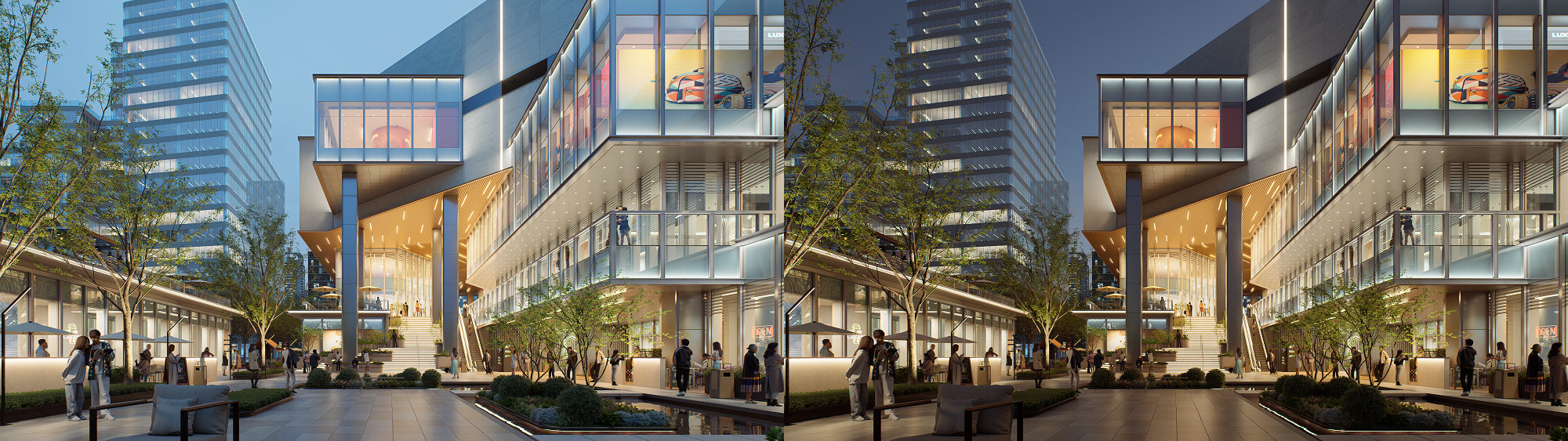
Instead of preparing several image sets or separate animations ahead of time, teams can move between design schemes, materials, lighting, weather, viewpoints, and object visibility inside a single presentation. A question that used to interrupt the review can be explored right away. Real-time scene switching runs through slides and 3D triggers, so the flow of the meeting holds together.
The presentation becomes a working space for the design, one the team can steer as the discussion moves.
Let Clients Walk the Space Before It Exists
Interactive Presentation sits inside a wider set of tools aimed at making review more interactive and easier to adapt to the room.
Stereoscopic Panorama brings depth-aware panoramic views to VR, which helps clients and project teams read scale, materials, and how spaces relate to one another. Better VR navigation and controller handling make VR walkthroughs steady enough for everyday reviews rather than occasional demos.
Spatial Tour has moved along too, with faster scene generation, smoother transitions between indoor and outdoor spaces, and dollhouse views that make it simpler to move through a complicated project.
These tools sit alongside still renders and animations and widen the options, so a team can pick the right way to explore a design based on the audience, the project stage, and what the review needs to settle.
Start Seeing the Design the Moment You Model It
The quality of any review depends on everything that happens before it.
As visualization gets pulled deeper into design work, architects increasingly want to test ideas while those ideas are still moving, instead of waiting for documentation to finish. In that sense, presentation begins earlier than the slide deck. It begins when a team first tries out form, light, material, atmosphere, and how a space feels to move through.
In practice, the visual thinking usually happens long before anyone opens presentation software, and tools have been slow to meet designers there.
That continuity reaches past D5 Render itself. After its earlier SketchUp release, D5 Lite now works inside Rhino and Revit, bringing real-time visualization into more of the tools architects already use. Designers can preview materials, lighting, and visual direction without leaving the modeling environment, which supports quicker exploration during concept work, massing studies, facade development, and iterative testing.
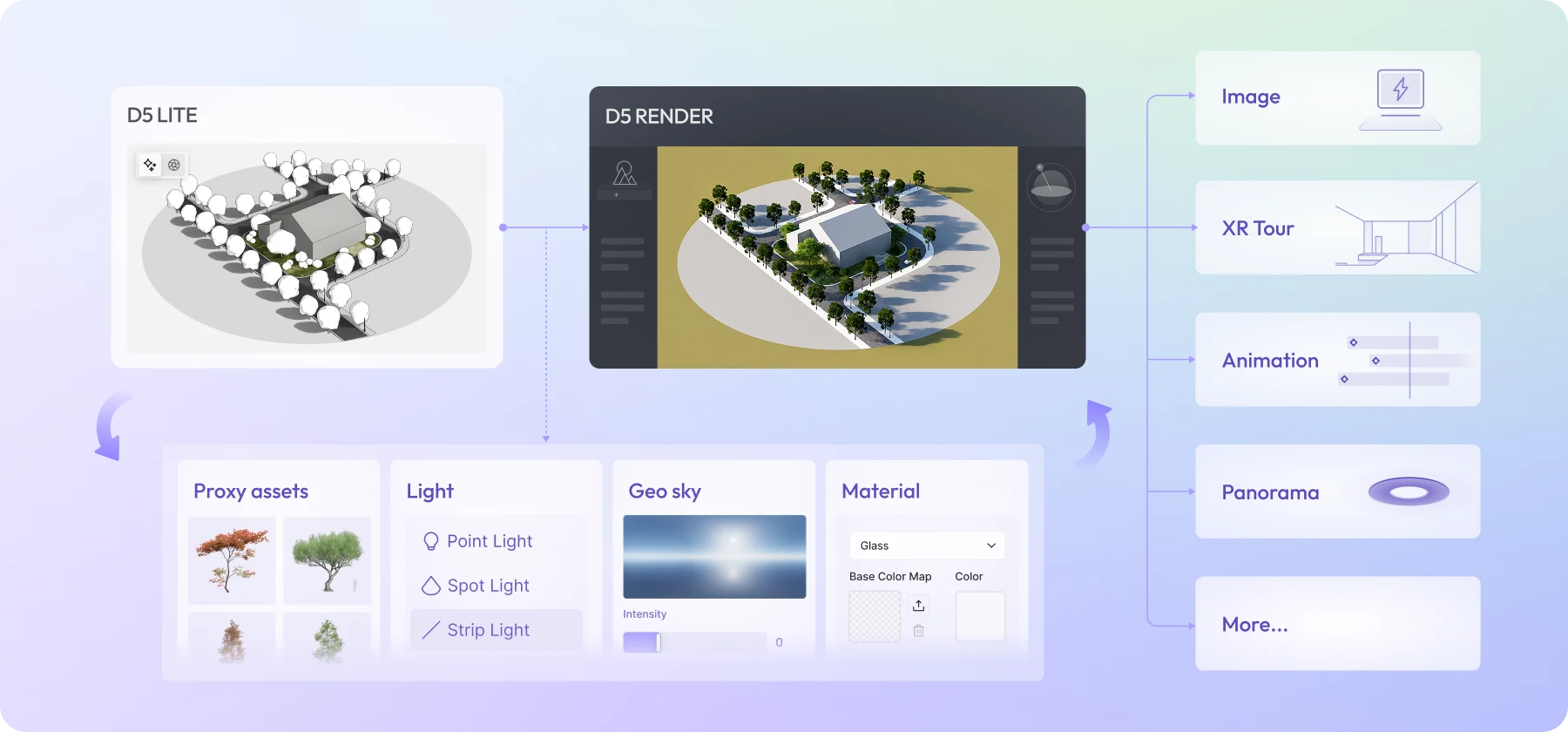
Start in D5 Lite, finish in D5 Render, without switching tools
D5 Lite is built for that early work, making design decisions more visual from the start. When a project needs higher-end imagery, animation, or an interactive presentation, the work carries on into D5 Render. Paired with Cloud Collaboration, distributed teams can review and share work with less reliance on manual file swaps or local hardware, which keeps things continuous from concept through client review.
Photoreal That Holds Up When Clients Look Closely
As presentations get more interactive, the visuals behind them matter even more. A live scene only works if it holds up when someone leans in.
D5 Render 3.1 adds a set of production-focused improvements that strengthen realism while keeping real-time response.

The move to an ACEScg working color space brings in a production-grade color pipeline, the kind used in film and visual effects, which improves color consistency across visualization and post-production. HeightField Tracing gives displacement materials richer surface relief without adding geometric weight, so brick, stone, and timber keep convincing physical depth even in large scenes.
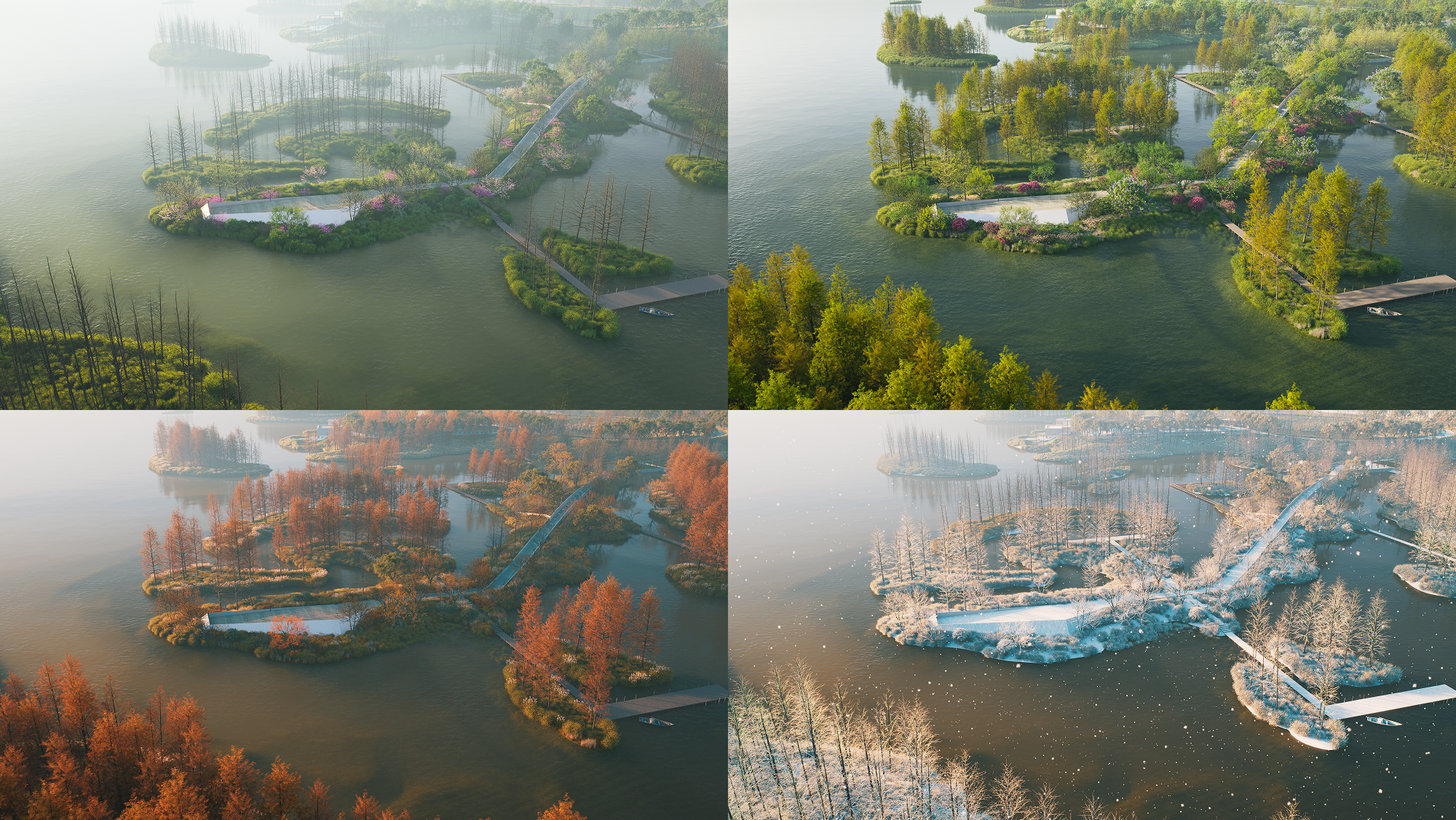
Landscape work gains more nuance through Seasonal Vegetation, which lets foliage and branch structure change by date and previews a full year of a planting scheme in one scene. A run of smaller refinements rounds it out, including Custom Pivot, MeasureLine, improved City Generator controls, smarter Auto Exposure, and wider Gaussian Splatting support. Each one trims repetitive adjustments and keeps production moving.
It adds up to one point. An interactive presentation is only as good as the rendering underneath it, and that rendering has to hold both fidelity and speed at once.
From Better Images to Better Decisions
Architectural visualization has spent years chasing realism. That work continues, though realism on its own no longer defines the field.
As projects get more collaborative, the ability to move between options, respond to feedback, and explain a design in context is becoming just as important. Presentations are becoming part of the design process itself.
"The tools we end up writing about at AEC+Tech are rarely the ones with the longest feature list. They're the ones that change how a decision gets made." — Niknaz Aftahi
D5 3.1 reflects that direction. It builds presentation into the design work, making visualization a place where ideas can be explored, compared, and refined with the people in the room.
Whether this turns out to be the next phase of the discipline is still an open question. The goal is clearly shifting, from producing better images toward better conversations about the work.
The biggest change in D5 3.1 sits outside the render itself. Visualization now stays in play through the whole conversation, long after the image is done.
See it live
D5 will demonstrate the 3.1 workflow in a live webinar on Tuesday, July 21, 2026 at 1:00 PM UTC, hosted by Jeff Espinoza, D5's Director of Customer Success and Services. The session covers D5 Lite for Rhino and Revit, Interactive Presentation, VR review, Stereoscopic Panorama, ACEScg, HeightField Tracing, and Seasonal Vegetation.
You can register using this webinar page, and anyone who registers but cannot attend will receive access to the recording.
To learn more about D5 Render, visit their page on aec+tech or explore the latest features on the official D5 Render website.

Niknaz Aftahi is the founder of AEC+Tech. This article was produced with materials from D5 as part of a partnership, and independently edited for the AEC+Tech community.
Recent Articles
Learn about the latest architecture software, engineering automation tools, & construction technologies