BIM Has the Intelligence — So Why Can’t We Automate the Documentation in Revit?
TL;DR
-
BIM models are highly intelligent, but outputs remain largely manual
-
Documentation can consume 30-40% of project time
-
Most automation fails because production models are messy
-
Graebert’s ARES Trinity automates BIM-to-DWG workflows
-
The 2027 release extends this workflow to Revit or IFC projects saved in Autodesk Forma (formerly Autodesk Construction Cloud)
-
New product soon to be released (ARES Neo) will automate and fix drawings at scale inside Revit.
BIM is smarter than ever. So why are we still doing so much manually?
We’ve spent years celebrating BIM, digital twins, cloud collaboration, and federated models — and rightfully so. The industry’s design intelligence has never been richer.
But there’s a quieter issue sitting just downstream of all that progress:
We are still drowning in documentation.
The Hidden Bottleneck in BIM Workflows
In large AEC firms, documentation can consume 30 to 40% of a project’s total time.
Let that sink in.
Your most skilled Revit modelers — the people hired for spatial thinking and systems design — are spending most of their time:
-
generating floor plans
-
coordinating linework
-
fixing labels
-
reformatting drawings
-
verifying the readability of your drawings.
The 3D intelligence in the model is extraordinary. The 2D documentation that leaves the office often isn’t.
This gap creates a risk of costly mistakes, and serious legal liability for your company.
You might be thinking, We’ve automated parts of this: we have Dynamo scripts, we have templates. That’s fair enough. But here is the harder truth: you can’t automate or bring AI or Generative Design into a workflow if your BIM model is a mess, and most production models, under real project pressure, are. You’ll see it in the inconsistent naming, missing parameters, and undisciplined family usage. The automation breaks, the drawings break, and someone has to fix it by hand. What if you could save the precious time currently lost on tedious 2D documentation tasks, and use it to finally create better BIM models?
Where ARES Fits In
This is the problem that sits at the center of the BIM-to-DWG Drawings Automation features in Graebert’s ARES platform. And the ARES Trinity 2027 release, launched in April 2026, addresses this problem more directly than any previous version.
I have spent time reviewing the full feature set in this release, and what stands out is not any single new tool. It is how coherently the platform now handles the entire sequence from BIM model to coordinated, annotated, deliverable DWG drawings, with as little manual intervention as possible.
What Is the ARES Trinity, in Plain Terms?
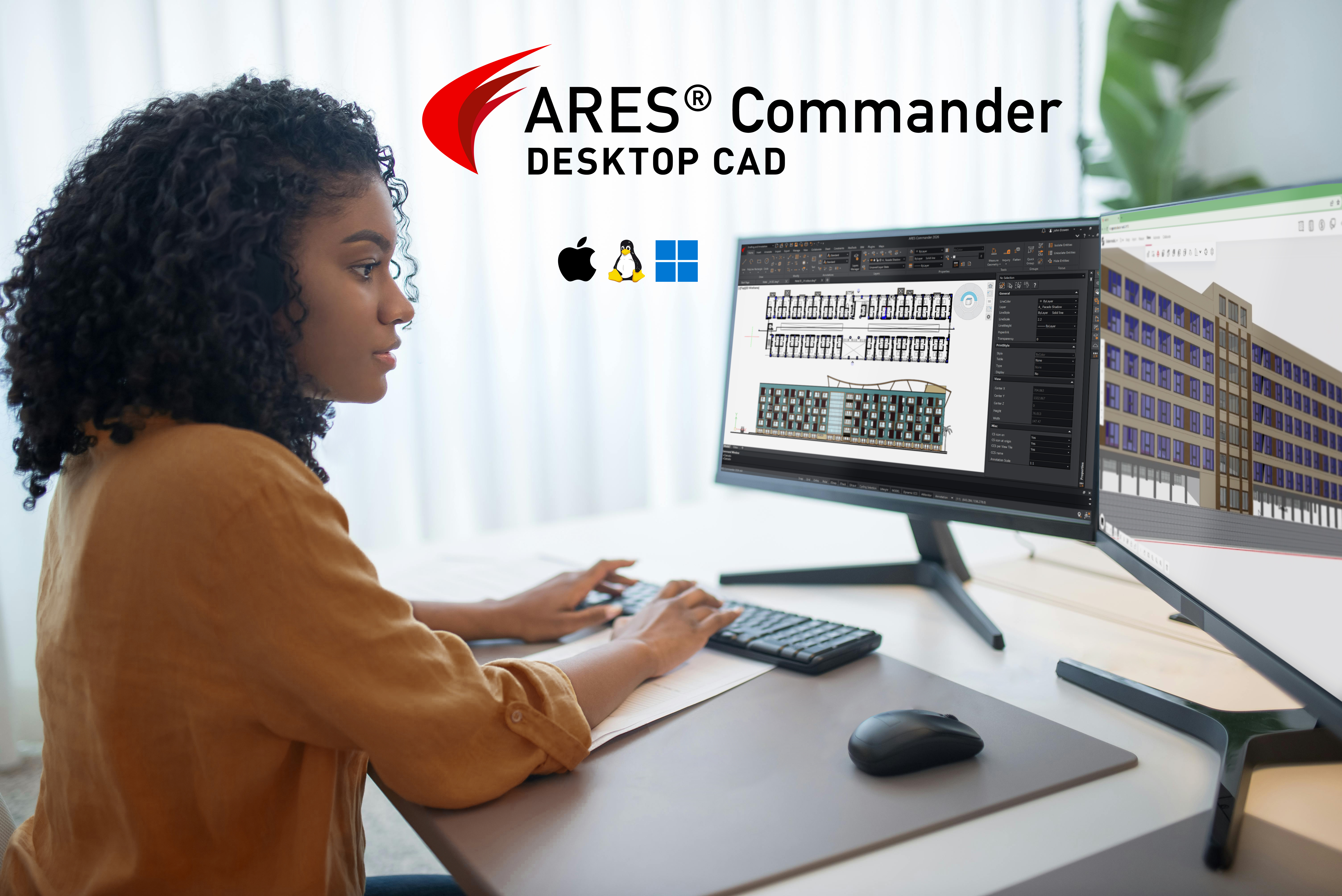
For those newer to Graebert’s ecosystem: ARES is a DWG-native CAD solution that runs across three platforms. ARES Commander (desktop, on Windows, macOS, and Linux), ARES Kudo (cloud, in any browser), and ARES Touch (mobile, on Android and iOS) are standalone solutions, seamlessly integrated into one ecosystem. All three share the same native DWG format (same format as AutoCAD), so there are no conversions, no fidelity surprises, and no version conflicts when a markup made on a phone lands back in a desktop session.
Commander is where the heavy BIM-to-DWG work happens. Kudo is where cloud automation, collaboration, and browser-based editing come together. Touch handles field review and markup. They are designed to complement each other, and the 2027 updates sharpen that complementarity considerably.
Documentation Is Consuming Your Team
This is a structural problem baked into how most firms operate. Your most experienced BIM coordinators are not spending the majority of their time solving design problems. Instead, they are placing dimensions, updating room labels, regenerating PDFs after model changes, and reformatting drawings to match consultant standards.
The frustration is not just about time spent; it’s about what BIM promised and still isn’t delivering.
-
Why do you need to manually dimension a wall when Revit already knows exactly how long it is?
-
Why does a model update on Friday mean a documentation team working through the weekend?
-
Why does every new version require so many hours of QA/QC to validate your drawing set, ensure labels are not overlapping, check that no labels or dimensions are missing, etc.?
If you are wondering how to bring these drawings back into Revit, read further — we will cover the upcoming ARES Neo at the end of this article. For now, let’s explore how these features work within ARES Commander and ARES Kudo.
How BIM-to-DWG Automation Works
The core idea is straightforward: Rather than exporting geometry from Revit and then annotating it manually, ARES Commander reads the BIM project — not just its geometry, but the properties, parameters, and data associated with every object. It then uses that intelligence to automatically generate fully annotated DWG drawings.
You can upload a Revit (.RVT) or IFC file, or combine multiple such files, and ARES will read the BIM data; create floor plans, sections, and elevations; and automatically place dimension chains, as well as room, door, and window labels. No manual dimensioning or hand-placed labels required!
ARES Commander is also a full replacement for AutoCAD, so ARES users can continue using its CAD features to add 2D details, as expected in execution drawings. If needed, users can also manually create drawings from the BIM model, such as specific sections or detail views.
The resulting DWG files are also “smart,” because they retain their link to the source BIM project. When the model changes, the drawings can be automatically updated to reflect those changes, without losing any manual CAD detail work added on top. That last part is critical, and I’ll come back to it.
This is not a new capability in ARES. It has been developing across several releases. But version 2027 represents a meaningful step forward in how reliably and completely it works, particularly for complex multi-discipline projects.
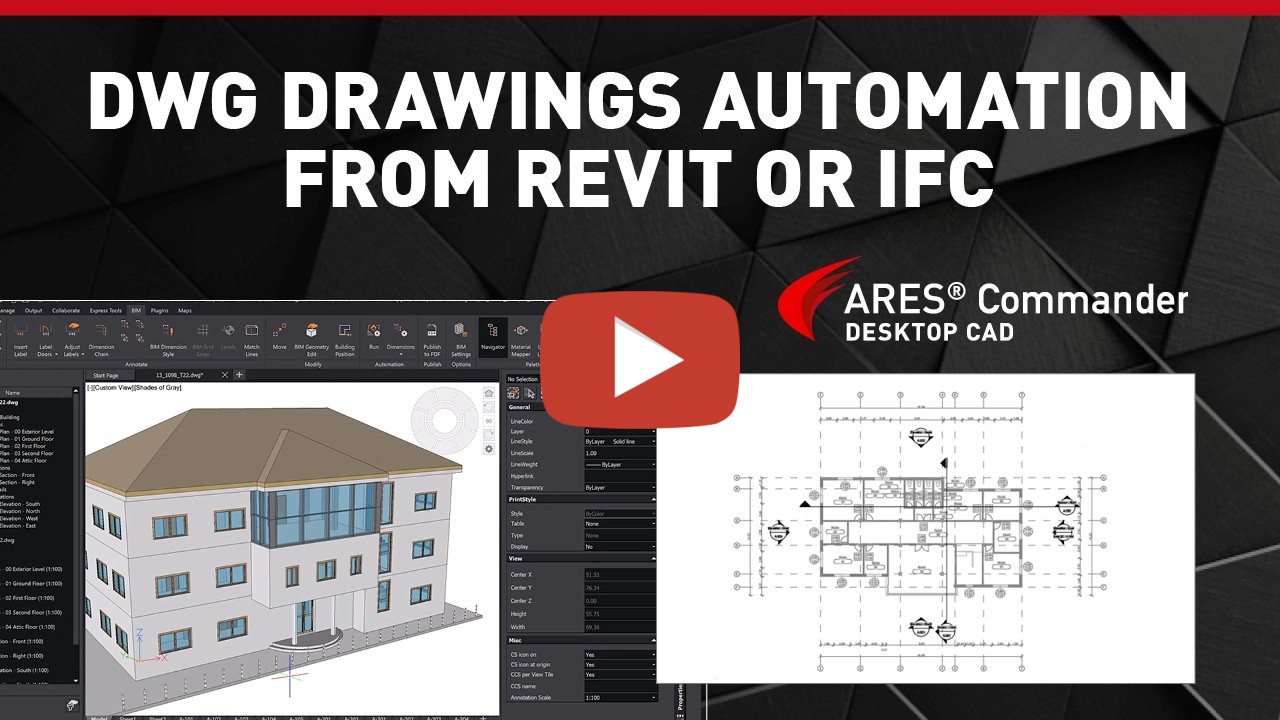
Fig. 2) Watch how to automatically generate DWG drawings from Revit or IFC files with ARES Commander.
Multi-Discipline Models, Without the Duplication
ARES Commander 2027 now manages linked BIM models as an integrated project. It generates a single coordinated set of drawings, avoids duplicate plans, and lets you configure which disciplines are included in each drawing — an Architectural + Structural plan here, an Architectural + MEP plan there. This is how real BIM coordination workflows actually operate, and with this release, the automation has caught up.
Revit support now extends to version 2026 (covering RVT files from Revit 2011 through 2026), and IFC imports gain full automatic 2D representations for stairs and grid lines — details that previously required manual work after import.
Online Automation: Let the Robot Work from the Cloud
Previously, ARES Commander relied on your local resources for drawing automation. Now, the ARES Online Drawings Automation service introduced in ARES Kudo is fully integrated in ARES Commander. This allows you to offload processing to the cloud — meaning you can work on other tasks, close your computer, or schedule batch jobs to run overnight.
Online Automation: Let the Robot Work from the Cloud
Previously, ARES Commander relied on your local resources for drawing automation. Now, the ARES Online Drawings Automation service introduced in ARES Kudo is fully integrated in ARES Commander. This allows you to offload processing to the cloud — meaning you can work on other tasks, close your computer, or schedule batch jobs to run overnight.
BIMRELOAD: The Weekend That Works for You
Here is the workflow that I think represents the most practical value in this release.
Revit users work locally through the week. On Friday evening, they push the updated model to the cloud — in this case, to Autodesk Forma Data Management (formerly Autodesk Construction Cloud), now integrated with ARES.
Over the weekend, ARES Online Automation runs BIMRELOAD across the drawing set. This command reads the new model version; refreshes in every DWG the geometry, dimensions and labels inherited from the BIM model; and leaves every manual 2D detail that the CAD team added completely untouched.
By Monday morning, the drawings are already coordinated, and ready for both teams to open. Because the system operated while the staff was away, the geometry is fully updated and all detailed work is intact, eliminating the need for manual reconciliation or a coordination call.
What makes this viable in production and not just in demos is that BIMRELOAD can now run as a scheduled recurring automation job via the cloud, accessible directly from ARES Commander without switching to the browser. Simply set it up once, and it runs every weekend.
Another example of online automation could be to produce every night an updated PDF of the full drawing set, ready for all your stakeholders in the morning. Scheduled Sheet Set printing, also new in version 2027, can now automatically print your entire Sheet Set (.DST) to PDF on the same overnight schedule.
Set it up once and the system handles the rest.
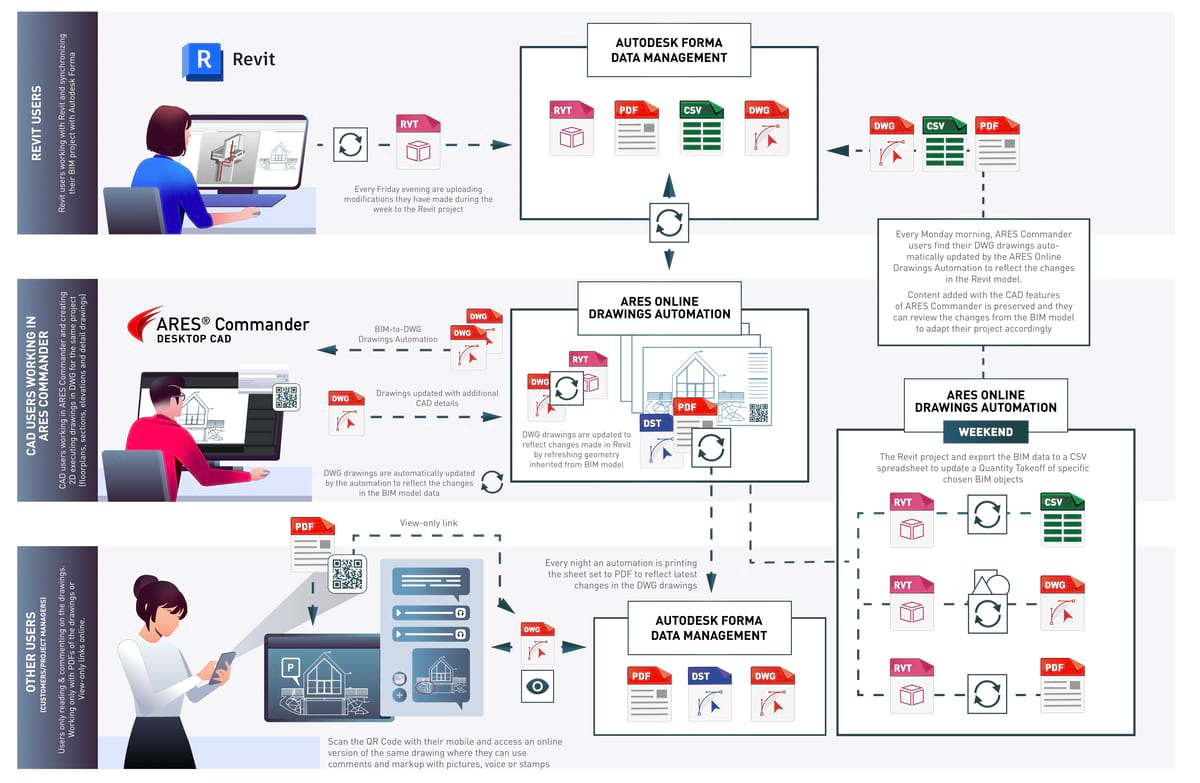
Fig. 3) The full BIM-to-DWG automation cycle, from Friday upload to Monday delivery.
Want to see this running on a live project? Graebert is hosting its annual Graebert neXt event on June 3, 2026. Join this free online event to see these automation workflows demonstrated on real project data. It’s worth attending if you’re curious about the technology, or evaluating it for your team. Visit the neXt 2026 page for more information about this event.
Files Stay Where Your IT Team Needs Them
The Autodesk Forma integration deserves a specific mention for enterprise teams. ARES Commander, Kudo, and Touch now connect directly to Autodesk Forma Data Management, with files remaining in the Autodesk cloud throughout the session — no local copies or shadow files needed. Version history, markups, and session handling all function inside the ARES Trinity, while the files stay exactly where your IT governance requires them to be.
For firms already operating inside Autodesk infrastructure, this removes the obstacle that has blocked adoption before: the files don’t leave Autodesk Forma.
The QR Code Feedback Loop
PDFs printed from ARES can include an embedded QR code. When a site foreman, client, or project manager scans that code from a printed sheet, it opens the drawing as a live view-only link in ARES Kudo on any device, no app required. Through that link, they can add comments, voice notes, photos, and stamps. Those markups sync directly back to ARES Commander and Kudo in real time.
Combine this with the nightly PDF printing automation, and the feedback loop becomes continuous: current drawings go out every morning, marked-up feedback comes back the same day, and the next automation cycle incorporates the updated model. Every weekend, the system resets and runs again.
Owners can also monitor and deactivate QR code links – a useful safeguard when drawings are evolving rapidly across project phases, and an older drawing version has been retired.
Cloud Automation, Now Inside the Desktop
ARES Online Drawings Automation was previously an ARES Kudo–exclusive capability, meaning Commander users had to switch to the browser to trigger batch jobs. That split is gone in version 2027. Online Drawings Automation is now built into ARES Commander, meaning it is directly accessible without leaving the desktop environment.
From Commander, you can now offload jobs such as batch drawing compares, PDF-to-DWG conversions, and data extractions to Graebert’s servers. More practically: right-clicking a PDF in your Google Drive or OneDrive account from inside Commander’s cloud storage palette gives you a direct "Convert to DWG" option. When you click it, the job runs on the cloud, and your machine stays free.
Generating drawings locally from a heavy Revit model can tie up a workstation for 5 to 10 minutes. Moving that process to cloud automation keeps the local machine usable and lets the team keep working. For enterprise teams, a REST API takes this further; custom Lisp scripts and native code can run automated batch modifications in a priority cloud queue.

What if You Don’t Want DWGs, but Drawings inside Revit?
Worth noting for firms running large Revit practices: Graebert is developing a new product called ARES Neo, aimed specifically at architectural firms managing Revit projects with extensive view sets, like typically airports, hospitals, malls…
While ARES Commander’s automation relies on DWG output—making it well-suited for construction companies and hybrid CAD/BIM environments—ARES Neo takes a different approach. It works directly with Revit, analyzing existing views to identify what needs improvement: missing dimensions, incomplete labels, or inconsistencies across sheets. It then helps resolve these issues automatically, without requiring any export to DWG.
The use case addresses a question architects frequently raise: Why would I move to DWG while I can produce my documentation in Revit? With ARES Neo, the answer is: you don’t have to. The automation comes to where you already work. It shows you what is different and what matters, filtered by discipline, so the validation process runs faster and with far less manual review.
For Revit users, the main interest is not in automatically creating drawings. Producing the initial documentation set is still a meaningful activity, allowing Revit users to define exactly how the project is documented i.e. not only the floorplans and elevations but also each section or detail view.
ARES Neo is delivered as an online service that reads Revit views and applies automated improvements directly within Revit. It also supports Revit linked models and Autodesk Forma. Key capabilities include:
-
Automatic dimensions: fully customizable, with 20+ dimensioning systems to define how different BIM elements should be annotated.
-
Automatic tags/labels: also fully customizable, and using AI to analyze your sheets and suggest rules regarding which types of entities should be tagged or not.
-
Readability optimization: detection of overlapping annotations with AI-driven suggestions for improved placement
-
Missing annotations: identification and correction of missing dimensions and labels
-
Change control: discipline-based reports highlighting differences across versions, with color-coded PDF outputs tailored to each stakeholder
"Despite two decades of technological shifts, design-induced rework still accounts for 21% of construction costs. This proves that BIM alone hasn’t solved the documentation quality gap. Drawings Automation is now a necessity, serving as the key to reducing both the time spent creating drawings and the expensive errors resulting from poor documentation." — Cédric Desbordes, Chief Growth Officer, Graebert
Beyond Revit: IFC, Rhino, and Open Workflows
Beyond its integration with Revit, ARES Neo is designed as an open platform that supports a broader ecosystem of BIM solutions.
Graebert’s drawing automation technology is also available to developers and partners, and is already used by platforms such as Qonic and Snaptrude, emerging leaders of the “BIM 2.0” wave. These cloud-native solutions are redefining BIM with real-time collaboration and represent a new competitive dynamic alongside traditional tools like Revit.
ARES Neo is intentionally agnostic, reflecting the reality that many firms need to remain productive in Revit today while preparing for more flexible, multi-platform workflows in the future.
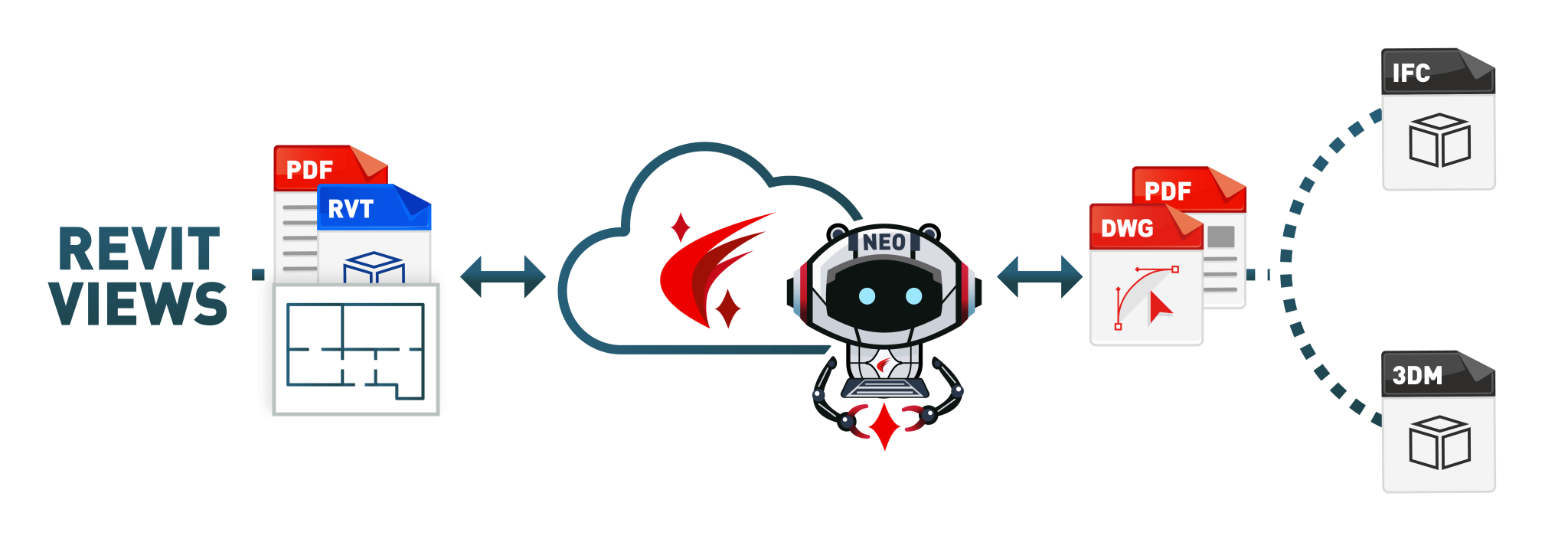
Through IFC support, ARES Neo can automatically generate floor plans, sections, and elevations in DWG and PDF—fully annotated, as described earlier with ARES Commander and ARES Kudo. This enables automation for models created in other BIM platforms such as Archicad, Allplan, or Vectorworks.
For Rhinoceros 3D (Rhino), an additional configuration step is required. Since Rhino is based on NURBS geometry, models must first be structured—typically using Rhino Inside via Revit or ARES Commander—to translate geometric elements into BIM objects before automation can be applied.
Rhino is particularly relevant in early design stages. Automating drawings directly from Rhino models is especially valuable for competitions and concept phases, where designs evolve rapidly, and timelines are tight. This approach removes the need to transfer models into Revit solely for documentation, significantly accelerating early project workflows.
Summary
The 2027 ARES Trinity release isn’t one headline feature. It’s a systems-level update that connects BIM authoring, DWG documentation, cloud automation, and team feedback in a way that has no equivalent in the market.
The BIM-to-DWG automation pipelinedirectly addresses the documentation burden that consumes the majority of project time in many large construction firms. Bringing Online Drawings Automation into Commander removes the desktop/cloud split that made previous automation workflows clumsier than they needed to be. And the Autodesk Forma integration means firms already operating inside that ecosystem now have a straightforward path to extending its capabilities without disrupting their file governance model.
For BIM coordinators and VDC leads evaluating their documentation stack right now: the case for Graebert’s Trinity is the strongest it has ever been. The platform now covers the full chain, from model to markup, and it does so while keeping your files exactly where your IT team needs them to be.
If you want to see these features demonstrated on real projects, Graebert is hosting the Graebert neXt event on June 3. This free online event is open to the full AEC community, and it’s a good opportunity to see the automation in action before committing to an evaluation.
Don’t miss Niknaz Aftahi’s speech on BIM-to-DWG Drawings Automation! Visit the neXt 2026 page for more information.
Note: ARES Neo will be revealed at the NXT BLD event organized by AECMAGAZINE in London on May 13. To learn more about this product, please contact Graebert on www.graebert.com.
More information on the new features is available at www.graebert.com/new.
Recent Articles
Learn about the latest architecture software, engineering automation tools, & construction technologies
Reer: Bringing AI Directly Into the Heart of CAD Workflows
Reer is redefining how AI is used in AEC by embedding it directly into CAD workflows where the real work happens. Instead of just generating ideas, its AI handles detailed, time consuming tasks with precision inside tools like Rhino. This allows designers and engineers to focus on creativity and decision making, with AI working alongside them as a true collaborator.
Inside the Egnyte AEC Summit: Cloud, AI, and the Data Problem Most Firms Haven't Solved Yet
Most AEC firms are sitting on decades of project data they can't actually use. At the 2026 Egnyte AEC Virtual Summit, that changes. We spoke with Kevin Soohoo ahead of the event to discuss why your document strategy is your AI strategy, what's really blocking the cloud transition, and how firms like PCL Construction are already preparing their data environments for AI.
Inside the Trimble 0–60 Challenge: Where AECO Innovation Meets Real-World Application
A behind-the-scenes look into the Trimble 0–60 Challenge, a worldwide accelerator program that helps early-stage companies go from concept to implementation by incorporating their ideas into current AECO processes and technology.
LEED v5 and the Future of Life-Cycle Assessment: Where Tools Like One Click LCA Fit In
LEED v5 is shifting sustainability from a checkbox to a core design driver, making life cycle assessment a requirement for all projects. This article explores what that means in practice and how tools like One Click LCA are evolving to help teams navigate new embodied carbon requirements, streamline documentation, and make more informed decisions earlier in the design process.